
Download Ankigenerator – AI‑Powered Anki Deck Builder for Students & Educators
Overview
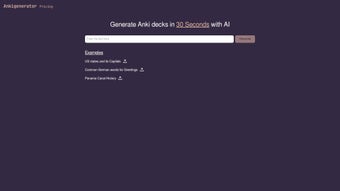
Ankigenerator is an innovative, AI‑driven web application that transforms the traditionally labor‑intensive task of creating Anki flashcard decks into a fast, automated workflow. Designed for both students striving for better retention and educators looking to distribute ready‑made study material, Ankigenerator leverages advanced natural‑language processing to understand source content—whether it’s a textbook chapter, lecture transcript, or a set of notes—and instantly generates high‑quality, spaced‑repetition cards. The service is subscription‑based, offering tiered plans that accommodate occasional learners as well as institutions that need bulk‑deck creation.
Because it runs entirely in the browser, there is no need to install bulky desktop software; a modern browser with JavaScript enabled is sufficient. While the speed of deck generation can vary based on the complexity of the input material and current server load, users typically see a dramatic reduction in preparation time—from hours of manual entry to a matter of minutes. Continuous updates powered by ongoing AI research promise even faster processing and smarter card formatting in the future, positioning Ankigenerator as a forward‑looking solution at the intersection of education technology and artificial intelligence.
In practice, the platform’s ability to parse large documents, preserve formatting, and automatically assign meaningful tags means that learners can focus on understanding concepts rather than spending time on repetitive data entry. Moreover, the collaborative workspace encourages teachers to build shared repositories, ensuring consistency across courses and semesters while reducing duplicated effort. Overall, Ankigenerator aims to streamline the entire flashcard creation pipeline, making spaced‑repetition study more accessible, efficient, and enjoyable for a broad audience.
Key Features
- AI‑Driven Card Generation: Uses large language models to parse raw text and automatically create question‑answer pairs, cloze deletions, and image‑backed cards.
- Multi‑Source Input: Accepts plain text, PDFs, Word documents, and even URLs, allowing you to import lecture slides, e‑books, or web articles directly.
- Customizable Card Templates: Choose from pre‑built templates or design your own layout, including font styles, color coding, and media attachments.
- Bulk Deck Export: Export generated decks in .apkg format compatible with the official Anki desktop and mobile apps for Windows, macOS, Android, and iOS.
- Smart Tagging & Organization: The AI automatically assigns tags based on topic, difficulty, and source type, making future review sessions more structured.
- Collaborative Workspace: Teams can share decks, leave comments, and co‑edit cards in real time—ideal for classroom settings.
- Secure Cloud Processing: All data is encrypted during transmission and never stored permanently on our servers unless you choose to save a project.
- Regular Updates & Learning Analytics: Receive performance insights on card difficulty and retention trends, helping you fine‑tune study strategies.
- Export Flexibility: In addition to .apkg, users can download CSV files for integration with other spaced‑repetition platforms.
- Accessibility Options: High‑contrast mode, screen‑reader support, and keyboard‑only navigation ensure that the tool is usable by learners with diverse needs.
These features collectively reduce the manual workload that traditionally hampers effective spaced‑repetition study. By automating the generation of high‑quality cards while still giving users control over appearance and content, Ankigenerator strikes a balance between convenience and pedagogical rigor. The collaborative aspects also open doors for teachers to create shared repositories of exam‑focused material, ensuring consistency across sections and semesters.
Additionally, the built‑in analytics dashboard provides actionable feedback, such as identifying cards that learners consistently struggle with, enabling targeted review. With frequent updates that incorporate the latest AI advancements, the platform continuously improves its ability to detect nuanced concepts, handle complex formulas, and adapt to different subject domains. Whether you are a high‑school student preparing for final exams, a university researcher compiling literature notes, or an educator designing a course‑wide study guide, Ankigenerator’s robust feature set is designed to accelerate your workflow without sacrificing the quality of the learning material.
Installation & First‑Time Setup
Step‑by‑Step Guide
Because Ankigenerator is a web‑based service, there is no traditional “installation” process. However, a smooth onboarding experience requires a few simple steps that ensure you can start generating decks immediately.
- Create an Account: Visit ankigenerator.com and click “Sign Up.” You can register using an email address or single‑sign‑on options such as Google or Microsoft. A verification email will confirm your identity and activate your account.
- Select a Subscription Plan: Choose from the Free Trial (limited to 5 decks per month), the Student Plan, or the Institutional Plan. Payment is handled securely via Stripe, supporting major credit cards and PayPal. All plans include automatic monthly updates and access to the latest AI models.
- Enable JavaScript: Ensure your browser’s JavaScript engine is active. Most modern browsers (Chrome, Edge, Firefox, Safari) have it enabled by default, but corporate environments sometimes block scripts for security reasons. If you encounter a “JavaScript required” message, adjust your browser settings or contact your IT department.
- Upload Source Material: Click “New Deck,” then drag‑and‑drop a PDF, paste plain text, or paste a URL. The AI will scan the content and present a preview of generated cards, highlighting any sections that may need manual review.
- Review & Edit: Use the inline editor to modify any card, add images, or adjust tags. You can also split or merge cards for optimal learning flow, and apply custom templates to match your study style.
- Export to Anki: Once satisfied, click “Export.” The platform generates a .apkg file that you can import directly into the Anki desktop client or mobile app. Export options also include CSV for alternative spaced‑repetition tools.
- Sync & Study: Open the deck in Anki, start your review sessions, and let the spaced‑repetition algorithm handle the rest. You can also enable cloud sync within Ankigenerator to keep your projects accessible across devices.
- Optional Tutorial Mode: First‑time users can enable “Tutorial Mode,” which provides interactive tooltips, video walk‑throughs, and a checklist to ensure every feature is explored.
Typical users report that the entire workflow—from account creation to first deck export—takes under ten minutes, assuming a stable internet connection. The platform’s responsive design ensures that the interface works equally well on desktop monitors, tablets, and smartphones, so you can generate decks on the go. If you encounter any issues, a built‑in help center offers searchable articles, and live chat support is available for paid subscribers. By following these steps, you’ll be able to harness the power of AI to create high‑quality flashcards without the usual manual effort.
Compatibility, Performance & System Requirements
Ankigenerator runs entirely in the browser, so it is compatible with any operating system that supports a modern web browser with JavaScript enabled. This includes:
- Windows 10/11 (Chrome, Edge, Firefox, Safari)
- macOS Monterey and later (Chrome, Safari, Firefox)
- Linux distributions with recent Chromium‑based browsers
- Android 8.0+ (Chrome, Firefox)
- iOS 13+ (Safari, Chrome)
The cloud‑based AI processing means that most of the heavy lifting occurs on Ankigenerator’s servers, so local hardware specifications have minimal impact on deck creation speed. However, a stable broadband connection (minimum 5 Mbps) ensures that large PDF uploads and real‑time AI responses are not bottlenecked. Users on slower connections may experience longer upload times, but the actual card generation time remains consistent because it is server‑side.
Performance benchmarks from the development team indicate the following average processing times:
- Plain‑text input (up to 5,000 words): < 30 seconds
- PDF of 30 pages with mixed media: 45 seconds – 1 minute
- Full‑course syllabus (≈ 20,000 words): 2‑3 minutes
These timings are subject to variation based on server load and the complexity of the AI’s parsing tasks (e.g., detecting tables, formulas, or embedded images). The platform continuously scales its compute resources, so peak usage periods are handled gracefully without noticeable slowdowns. Additionally, the service adheres to GDPR and CCPA privacy standards, encrypting all data in transit (TLS 1.3) and offering optional data‑retention policies for institutions that require strict compliance. For users concerned about offline access, a future roadmap includes a lightweight desktop companion that can cache previously generated decks, though full AI generation will remain cloud‑dependent.
Pros, Cons, Frequently Asked Questions & Conclusion
Pros
- Massively reduces time spent on manual card creation.
- AI intelligently extracts key concepts, producing higher‑quality cards.
- Web‑based—no installation, works on any device with a browser.
- Supports multiple input formats, including PDFs and URLs.
- Collaborative features enable team‑based deck building.
- Secure, encrypted processing respects user privacy.
- Regular updates improve AI accuracy and add new templates.
- Analytics dashboard provides actionable study insights.
- Accessible design includes high‑contrast mode and screen‑reader support.
- Export flexibility includes .apkg, CSV, and direct Anki sync.
Cons
- Subscription cost may be a barrier for some students.
- Reliance on internet connectivity; offline use is not possible.
- AI may occasionally misinterpret highly technical jargon, requiring manual tweaks.
- Large media‑heavy PDFs can increase upload time.
- Free trial limits deck generation to five decks per month.
FAQ
Is there a free version of Ankigenerator?
Yes, Ankigenerator offers a free trial that allows up to five deck creations per month. This limited tier lets users evaluate the AI’s quality before committing to a paid plan.
Can I import decks created with Ankigenerator into the Anki mobile app?
Absolutely. The exported .apkg file is fully compatible with the official Anki app on Android, iOS, Windows, and macOS. Just import the file via the “Import” option in the mobile app.
How does Ankigenerator handle copyrighted material?
The platform processes uploaded content only for the purpose of generating cards and does not store it permanently. Users are responsible for ensuring they have the right to use any copyrighted material they upload.
What level of AI customization is available?
While the core generation algorithm is preset, users can adjust parameters such as card type (basic, cloze, image‑based), difficulty level, and tag schema. Advanced users can also supply custom prompts to guide the AI’s focus.
Is there customer support for institutional users?
Yes. Institutional plans include priority email support, a dedicated account manager, and optional on‑site training sessions to help faculty integrate Ankigenerator into their curricula.
Conclusion & Call to Action
In a world where efficient study habits are increasingly linked to academic success, Ankigenerator stands out as a powerful ally. By automating the tedious aspects of Anki deck creation, it frees learners to focus on comprehension and retention rather than formatting. The combination of AI accuracy, cross‑platform accessibility, and collaborative tools makes it a compelling choice for anyone serious about spaced‑repetition learning. While the subscription cost and dependence on internet connectivity are considerations, the time saved and quality of generated cards often outweigh these drawbacks. If you’re ready to upgrade your study workflow, head over to ankigenerator.com, start the free trial, and experience firsthand how AI can accelerate your learning journey.
Overall Rating: 4.5 / 5



.png)



